Most Meta ads fail for one reason: Meta cannot see your real results. If leads and sales happen on WhatsApp or on a call, the pixel never records them, so Meta keeps showing your ad to the wrong people. Sending those results back to Meta with the Conversion API, choosing the right objective, giving the ad set enough events to learn, and replying to leads within minutes fixes most underperforming campaigns.
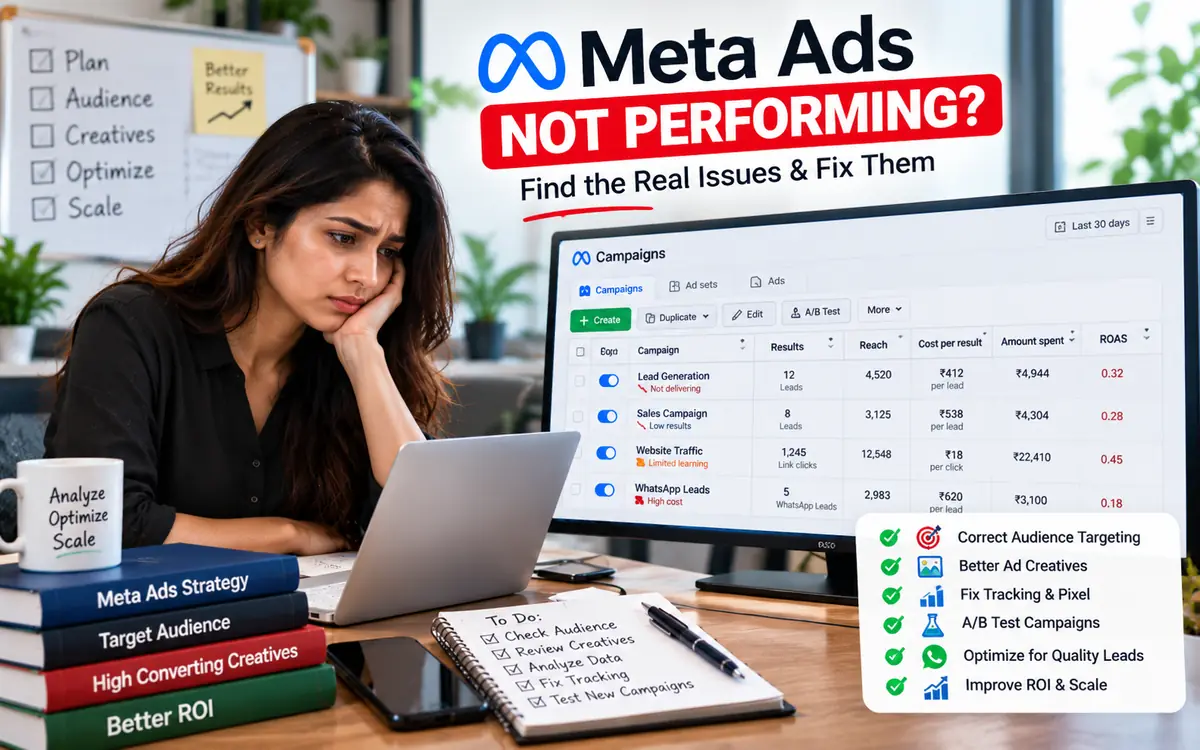
You set a budget, the ad goes live, clicks come in, but sales do not. Cost per lead keeps rising and the leads that do come in are not serious. If this sounds familiar, you are not alone. This is the most common problem Indian businesses face with Facebook and Instagram ads.
The good news: in most cases the problem is not your product or your budget. It is the signal Meta receives. Below are the 7 reasons we see most often when we audit ad accounts, and what to do about each one.
1. Meta cannot see who actually bought
Meta's algorithm learns from the events you send it. If your ad sends people to WhatsApp, a phone call or a lead form, the actual sale happens outside your website. The Meta pixel only sees what happens in a browser, so it never learns which clicks turned into paying customers.
Without that information, Meta optimises for the cheapest clicks or the easiest form fills, not for buyers. That is why you get many leads but few sales.
Fix: use the Meta Conversion API (also called CAPI). It sends events such as Lead, Schedule and Purchase straight from your server or CRM to Meta. When a WhatsApp chat becomes a qualified lead or a sale, that event goes back to Meta, and the algorithm starts finding more people like your real buyers.
2. The wrong campaign objective
Meta gives you what you ask for. A Traffic campaign brings clicks, an Engagement campaign brings likes, and a Leads campaign brings form fills. If you want sales, the objective should match that goal, and Meta needs a conversion event it can optimise for.
Fix: pick Leads or Sales as the objective and choose an optimisation event that is close to money, such as a qualified lead or a purchase, instead of a simple link click.
3. Your ad set never leaves the learning phase
Every new ad set goes through a learning phase. Meta's own guidance is that an ad set needs around 50 optimisation events in a week to exit it. If your budget is small and spread over many ad sets, none of them gets enough data, and results stay unstable.
Fix: run fewer ad sets with a bit more budget each, avoid editing them every day, and send more events through the Conversion API so Meta has enough data to learn from.
4. Poor event match quality
When you send an event to Meta, it tries to match it to a real Facebook or Instagram user. The more customer details you share (in hashed form), such as phone number and email, the better the match. Low match quality means Meta cannot connect your sales to the people who saw your ad.
Fix: send the customer's phone number with every event. Because WhatsApp leads always come with a verified phone number, events sent from WhatsApp usually match very well. Check the score under Events Manager, Data sources, Overview.
5. Creative fatigue
When the same people see the same ad again and again, they stop reacting to it. Frequency goes up, click-through rate falls and costs rise.
Fix: keep 3 to 5 creatives running and refresh them every few weeks. Short videos, real customer photos and clear offers in the first second usually work best in India.
6. Slow follow-up on leads
A lead who waits even an hour for a reply has often already talked to a competitor. Many businesses blame the ads when the real problem is that nobody answered in time.
Fix: reply instantly. An AI chatbot on WhatsApp can greet every lead in seconds, ask qualifying questions and pass hot leads to your team. With Meta Lead Forms connected, every form lead can get a WhatsApp message the moment they submit.
7. Too much friction after the click
Slow landing pages, long forms and confusing next steps lose people on mobile. Every extra step reduces your conversion rate.
Fix: try Click-to-WhatsApp ads. The customer taps one button and is already in a chat with you. There is no page to load and no form to fill, and you get their phone number automatically.
How AiZapy connects WhatsApp results to Meta
AiZapy is an official WhatsApp Business API platform with the Meta Conversion API built in. You do not need a developer. The setup looks like this:
- Connect your Meta dataset (pixel). Link it to AiZapy once.
- Map your events. Decide which tag or CRM stage counts as a Lead, a Schedule or a Purchase. For example, when a chat is moved to "Site visit booked", AiZapy sends a Schedule event.
- Let Meta learn. Every real result from WhatsApp goes back to Meta, with customer data hashed as Meta requires, and your ads start optimising for buyers instead of clicks.
Because the ad, the chat, the CRM and the conversion event all sit in one place, you can also see which ad brought which sale.
Quick checklist before you increase your budget
- The campaign objective is Leads or Sales, not Traffic.
- Real leads and sales are sent to Meta through the Conversion API.
- Each ad set gets enough events every week to learn.
- Event match quality is good, with phone numbers included.
- 3 to 5 fresh creatives are running.
- Every lead gets a reply within minutes, ideally instantly on WhatsApp.